PIV test-section operation
Place the operator interface where the measurement can be supervised while the laser and delivery hardware remain at the test section. Confirm supported commands and the system interlock arrangement.
Operate a compatible PIV laser setup through a compact remote-control interface. Select the controller with the exact laser, power supply, required operating functions and interlock arrangement.
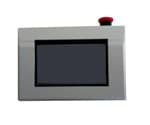
Compare the details
Compare the listed configurations and match the specifications to your setup.
5 specification rows.
| Parameter | Listed capability |
|---|---|
| Function | Remote operation through a user interface |
| Format | Compact and lightweight |
| Compatibility | Confirm the exact laser and power-supply configuration |
| Interface and connection | Protocol, cabling, connection distance and supported commands on request |
| System integration | Specify operating functions and interlock behavior for the complete installation |
Build around your experiment
Share these details with your enquiry so we can match the component to your optical setup.
Application context
Place the operator interface where the measurement can be supervised while the laser and delivery hardware remain at the test section. Confirm supported commands and the system interlock arrangement.
Technical FAQ
The overview does not specify the protocol, connection distance or supported laser models. Confirm those details for the chosen system; wireless operation is not specified.
Keep the specifications at hand when planning your setup.
Download datasheet (PDF)Talk through your setup
Add this component to your enquiry and include your requirements. We will help specify the variant, interfaces and mounting.


