Compare tissue layers
The original Light-Seq study profiled layers of mouse retina using image-guided barcoding. [1]
Planning idea: define anatomical groups before assigning barcode reagents.
A visual application guide
Light-Seq uses patterned light to connect selected regions of fixed tissue to sequencing. Explore a distinctive research application of Mightex Polygon.
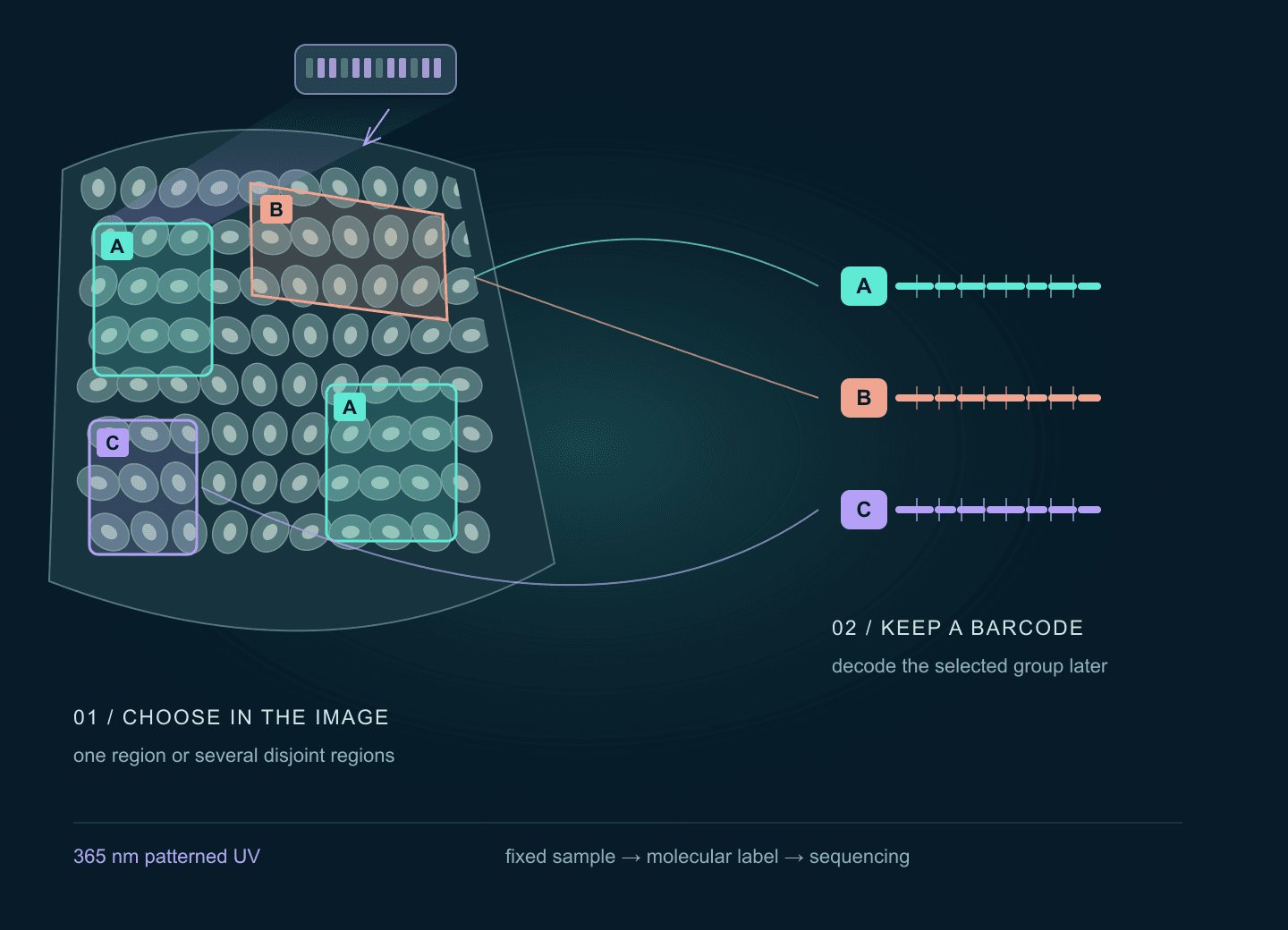
01 / The application
Which tissue layer, boundary or scattered cell group should be compared? An image can define the selection. Mightex lists light-directed spatial profiling among Polygon applications. [4]
The original Light-Seq study profiled layers of mouse retina using image-guided barcoding. [1]
Planning idea: define anatomical groups before assigning barcode reagents.
The study also profiled selected groups of rare dopaminergic amacrine cells in retinal sections. [1]
Planning idea: give separated regions a shared barcode when the group is the intended unit of analysis.
Conceptual drawings inspired by the biological questions, not reproductions of tissue images or experimental data.
This workflow begins with fixed material, rather than live-cell stimulation.
A group can follow an irregular shape or include several disconnected regions.
Illuminating individual cells does not by itself give every cell a unique sequencing identity.
02 / Image → light → molecular identity
01
Start with fixed cells or tissue prepared for the assay. Retain an image of the specimen.
02
Reverse transcription creates cDNA in place. Further preparation makes it accessible to barcode reagents.
03
Use morphology, position or staining to define the groups you want to compare.
04
A barcode reagent docks on cDNA. UV in the selected regions enables a covalent link; exchange reagents between rounds.
05
Release labelled cDNA, perform cross-junction synthesis, amplify and prepare the sequencing library.
06
Sequence outside the microscope. Match barcode identities to the saved region manifest.
Workflow overview, with intervening processing steps omitted. Use the authors’ sample-specific protocols for experimental details. [2][3]
Light-Seq uses DNA barcode strands containing a photocrosslinking group, CNVK. UV links the docked barcode to cDNA in selected regions. The barcode is subsequently read as sequence. [1][2]
PIC also uses light-directed molecular selection, but its photoactivation chemistry differs. A PIC protocol and a Light-Seq protocol are not interchangeable. [4]
03 / Build a spatial manifest
Assign the six illustrated regions, then follow the barcode rounds. The key design decision is which origins you need to distinguish after the material is pooled.
Interactive / barcode groups
2. Step through the conceptual sequence
Reference image
Define the region-to-barcode plan before exposing the specimen.
Barcode A
R1 + R3
Planned group in the saved manifest.
Barcode B
R2 + R5
Planned group in the saved manifest.
Barcode C
R4 + R6
Planned group in the saved manifest.
Try “All share A”, then “Decode”: six selected regions become one barcode group.
Original synthetic field. This is a workflow model with ideal masks, not a molecular simulation. It predicts no reads, gene expression, yield, background or crosslinking efficiency. Editing a region restarts the sequence. The three barcodes are conceptual labels, not reagent sequences.
One shared barcode identifies one selected group. To distinguish its constituent regions, plan distinct barcode identities and a validated assay design. Cell size, projected pixel pitch and sequencing identity describe different things. [1][4]
04 / Registration matters
This geometry model isolates one practical tradeoff: a border margin can reduce illumination outside a target, while leaving some of the target unexposed.
Interactive / registration geometry
Move a square projection across a 40 × 40 µm target. Inset the mask to trade covered target area for a border margin.
75%
Target area covered
25%
Mask area outside target
Measure where projected boundaries land using an appropriate calibration sample. Test the field centre and edges.
Changing objective, camera geometry, adapter or sample position can invalidate the mapping. Save the transform with the masks.
A good overlay alone cannot establish clean barcoding. Assess background and group separation in the actual assay.
Engineering recommendations for a pilot, not measured tolerances or a validated margin rule.
05 / Build the optical path
The published study used a Polygon400 DP on an inverted Nikon microscope with 365 nm illumination. That historical configuration is evidence of the application, not validation of every current Polygon configuration. [1]
01 / OPTICAL CHAIN
Lightguide delivery
02 / OPTICAL CHAIN
Image-defined mask
03 / OPTICAL CHAIN
UV-compatible path
04 / OPTICAL CHAIN
Registered target plane
Candidates for a 365 nm review
The 2025 brochure lists 350–1000 nm for Polygon1000-G and the DI lightguide input. DI fibre and DL inputs start at 400 nm. A model’s transmission range does not establish a working assay. [5]
Check the whole chain
Confirm UV throughput through the adapter, objective, filters and chamber. Measure irradiance at the specimen; a source power percentage is not an exposure dose. Verify camera support and calibration in the chosen PolyScan licence. [2][5][6]
Pattern design and calibration are packaged software functions. That can make drawing, changing and revisiting masks practical on a compatible microscope. [6] Sample preparation, barcode reagents, washing, library quality and analysis still require molecular-biology expertise. The published protocols span several days; optical exposure is only one part. [2][3]
This application uses UV photocrosslinking, with no two-photon writing system required. The cited work does not establish a turnkey Light-Seq kit or a universal minimum selectable feature size.
06 / Plan a pilot
01 / Define
Write down the comparison, sample preparation and region-to-barcode plan. Start with a well-characterised preparation before a scarce specimen.
02 / Verify
First confirm registration and delivered UV. Then evaluate library quality, background labelling and separation of known groups with suitable controls and replicates.
03 / Preserve
Save the reference image, masks, barcode manifest, transform and run settings. Agree on library format and barcode parsing with the sequencing team before acquisition.
Planning recommendations. The authors provide separate tissue and cultured-cell protocols, plus experiment-specific analysis code. [2][3][7]
Check the reagent identity, round order and saved manifest before interpreting the biology.
Investigate registration, out-of-region light and reagent carryover; use appropriate no-UV and reagent controls.
Review sample quality and molecular processing with the assay team. DMD frame rate cannot diagnose an RNA or library-preparation problem.
Design and validate distinct molecular identities. Fine optical targeting alone does not supply per-cell sequencing labels.
This guide is a system-planning overview. Follow the original protocols for reagent identities, wet-lab steps and validation. The illustrations and labs supply no exposure prescription or predicted biological result.
Bring your sample, microscope, UV source and target regions. Define the optical integration alongside your molecular-protocol and sequencing support.
Evidence & further reading
The 2022 paper establishes the research application. Protocols describe sample-specific processing; current manufacturer documents inform the hardware review. Illustrations, interactive models and planning suggestions are original to this guide. Reviewed 18 October 2026.
Original Light-Seq study, biological demonstrations and historical Polygon400 DP setup. DOI: 10.1038/s41592-022-01604-1.
Fixed-tissue preparation, light-directed barcoding, molecular processing and library preparation.
Cultured-cell workflow and cell-mixing benchmark; a separate preparation from tissue.
Manufacturer application context for light-directed molecular selection. PIC and Light-Seq use different chemistries.
Model-specific wavelength ranges and lightguide versus fibre inputs.
Pattern design, calibration and supported hardware; confirm the camera and licence combination.
Authors’ analysis for cell mixing, retinal layers and amacrine-cell experiments.
Before you specify
Continue with materials photopatterning, targeted optogenetic stimulation and camera selection.
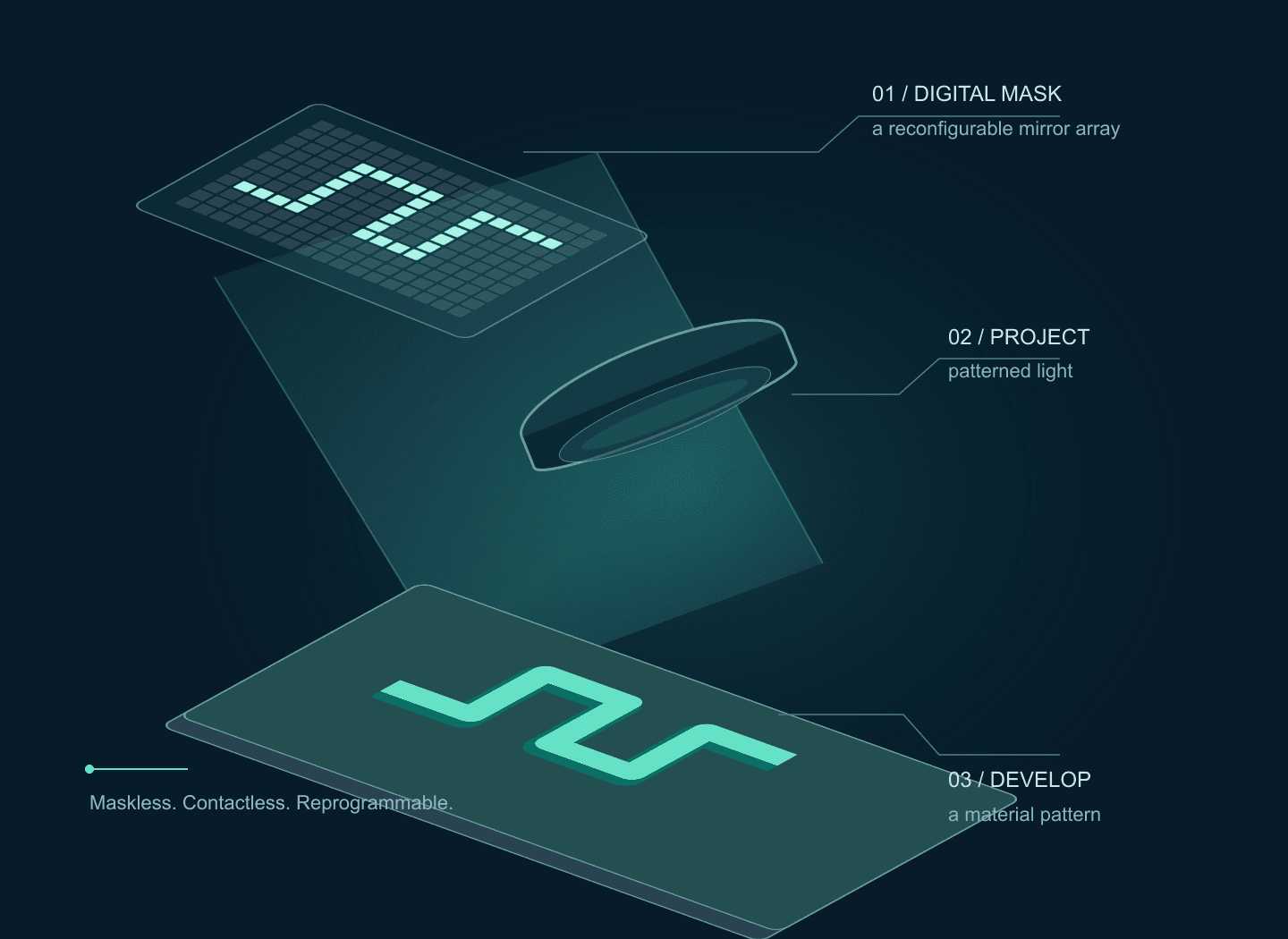 Microfabrication
Follow a digital mask from mirrors to material. Explore four Polygon application workflows, compare single-photon and research two-photon architectures, and try the exposure and pulse-scaling labs.
Open guide Optogenetics
Plan targeted illumination in neuronal cultures or tissue slices: compare Polygon inputs, register camera ROIs, verify delivered light, and synchronize electrophysiology or compatible imaging. Includes an interactive pattern illustration.
Open guide Scientific cameras
Understand quantum efficiency, read noise, pixel size, SNR, and optical sampling using real MAX and sMAX specifications.
Open guide