Selection guide · 5 min
How to choose a wavelength selector
Choose the band of light your experiment needs, then match the selector to your source, beam and timing.
Compare the four options ↓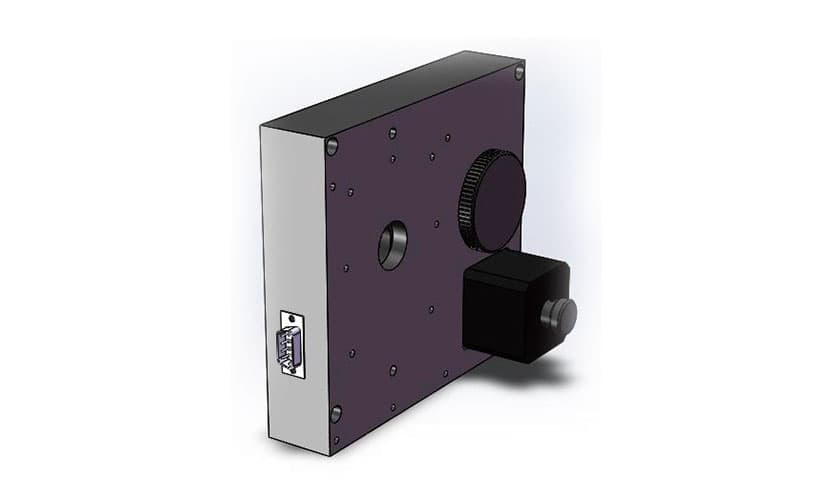
Start with the measurement
Write down the wavelength interval, required bandwidth, unwanted wavelengths to block, minimum light at the sample or detector, and time allowed between settings. State whether the light is a free-space beam, a fibre signal or a complete camera image.
Separate bandwidth from tuning range and wavelength accuracy. A filter that tunes across 80 nm does not pass an 80 nm band. Ask for bandwidth at a stated level, usually full width at half maximum (FWHM), and the blocking outside it.
Choose the type of selector
| Approach | Choose it for | Check before ordering | Our options |
|---|---|---|---|
| Fixed optical filter | One spectral band or a known laser line. | Passband, blocking interval, clear aperture and incidence angle. | Laser clean-up filters |
| Filter wheel | Switch between a finite set of selected bands or blocking filters. | The wheel changes filters; it does not continuously tune their passbands. | SD25 filter wheels |
| Monochromator | Scan a wavelength band and adjust its width with the slits. | Source brightness, slit coupling, grating efficiency and unwanted orders. | Omni-λ instruments |
| Fibre tunable filter | Select a narrow band within a configured fibre-system interval. | Centre-wavelength option, tuning interval, fibre type, power and settling time. | MEMS fibre tunable filter |
For a known laser line, start with our clean-up filters. For another fixed band, send the centre wavelength, FWHM, blocking interval and aperture for a filter selection. Check the incidence angle and beam cone: interference-filter passbands can shift and change shape away from their specified geometry.
Choose a monochromator when you need a scanned band and adjustable slits. It selects light from an incoming source; add a suitable broadband light source for tunable illumination. Use the monochromator selection guide to choose the instrument, grating and ports.
Choose bandwidth and light level together
Narrower slits reduce the geometric bandpass and the light admitted. Closing them eventually reaches the instrument’s optical limits. Choose the width that separates the features you need while leaving enough signal for the measurement time.
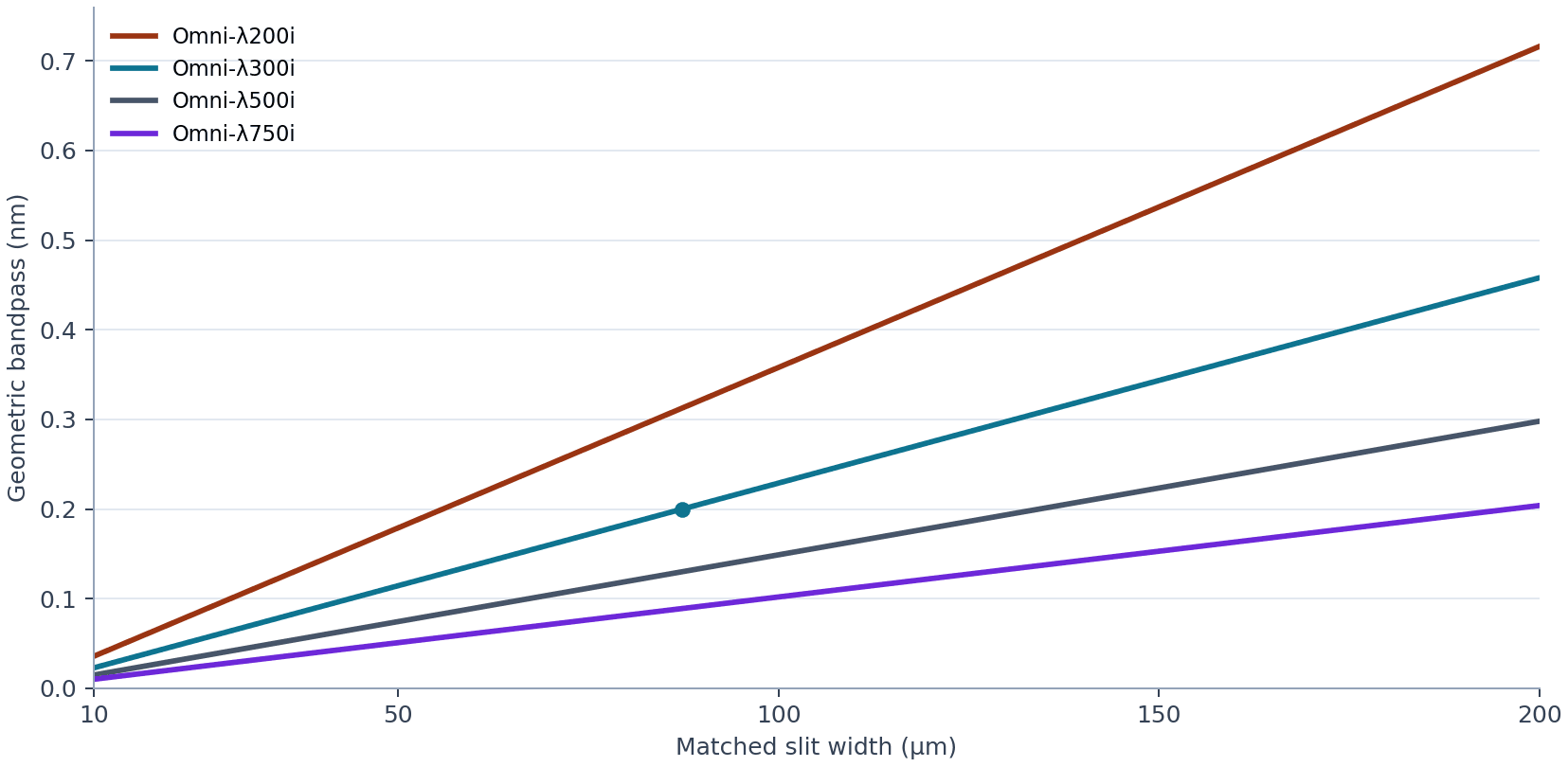
Compare the complete system at the required wavelength and bandwidth. Peak filter transmission alone does not account for aperture clipping or fibre-coupling loss. For pulsed or polarised light, also check the relevant power limits and polarisation dependence.
Match the interface and the rejection
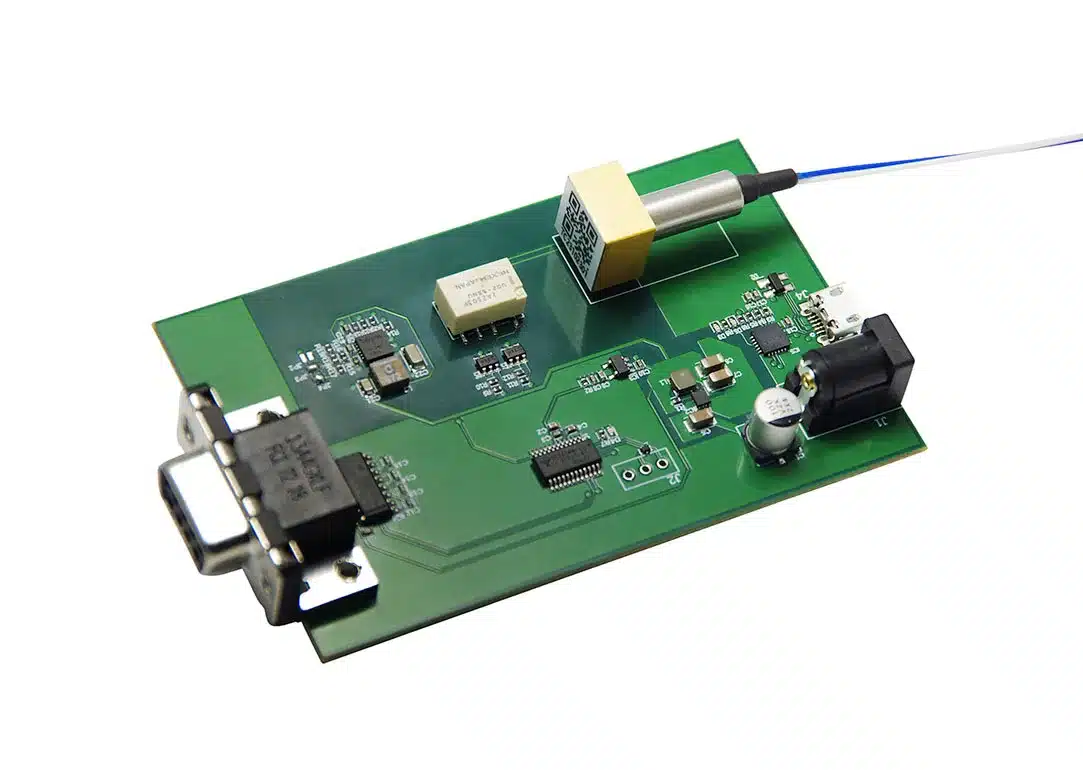
For a compatible fibre system, our MEMS fibre tunable filter offers nominal 0.8 nm bandwidth and up to 80 nm tuning around the selected centre-wavelength option. Match the fibre type, connectors, polarisation and optical power, then confirm the usable interval and settling time.
For a camera image, check field of view, clear aperture and angular acceptance. A conventional slit monochromator does not preserve a full two-dimensional image in the way a suitable imaging filter can.
Specify blocking over the wavelengths that can contaminate the measurement. The same FWHM can accompany very different out-of-band rejection. A monochromator may need order-sorting filters; for demanding weak-signal measurements, compare a double monochromator and its throughput tradeoff.
Complete the selected route
- Monochromator: confirm the matching grating and turret, entrance and exit slits, and input/output adapters. Add FLG fibre coupling or relay optics to suit the beam. The 200i takes 50 × 50 mm gratings; select 68 × 68 mm only for the matching larger turret.
- Filter wheel: select the actual filters, mounting and control connection. Standard SD25 fits the listed 300i/500i/750i bodies; SD25-R fits 200i. A bare wheel does not include a complete filter set. Confirm compatibility separately for other instrument families.
- Fibre tunable filter: confirm the centre-wavelength option, fibre and connector specification, patch leads, control interface and power supply. Check which items are already included.
- Every route: plan stable mounts and a suitable detector or power measurement to verify the delivered light. Check wavelength, bandwidth and background at the working settings before measuring a sample.
Choose the selector with Precisometer
Send your wavelength interval, bandwidth, source, required output power and optical interface. We’ll help select the route and compatible accessories, with a clear list of what is included.