Back to Home
Fiber Coupler

Laser components & accessories

Fiber Coupler

Fiber Coupler is a configurable fiber coupler, splitter or combiner in the Laser components and accessories family. The final part number should be released only after the optical, mechanical, electrical and environmental fields below are matched to the intended instrument.

Fiber Coupler

Standard Products
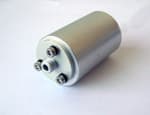
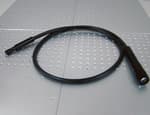
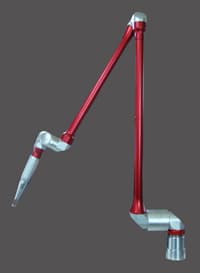
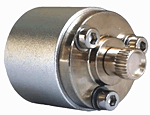
ModelCF-1CF- 2CF- 3CF- 4CF- 5
Sketches
ConnectorSMA905/ FCSMA905/ FCSMA905/ FCSMA905/ FCFC
FeaturesFix with screwThread tighteningSuitable for large spotsAttenuation of powerSingle mode fiber removable
Suitable laser modelU, SIII, H, FN, FN, W, D, SD, MD, HD, XDDS, U, FNDS, E, U, III, FN, F, N, W
Datasheet

Application context

Why this design is used

Application fit depends on the ordered configuration; catalog values are separated from fields that still require confirmation.

Optical power distribution

Fiber Coupler: Coupling ratio and uniformity set the power delivered to each branch, while excess loss determines total source headroom.

Fiber sensing and monitoring

Fiber Coupler: A defined tap ratio extracts a measurement channel without disturbing the main path beyond its allowed insertion-loss budget.

Engineering reference

Specify Fiber Coupler from the interfaces inward

Fiber Coupler is a configurable fiber coupler, splitter or combiner in the Laser components and accessories family. The final part number should be released only after the optical, mechanical, electrical and environmental fields below are matched to the intended instrument.

A fiber coupler redistributes guided optical power between ports. Coupling ratio is only one part of the design: excess loss, uniformity, directivity, fiber mode and polarization behavior determine whether the component preserves the experiment’s optical budget.

Selection guidance describes the engineering fields that must be checked. It does not assign an option-dependent value that is absent from the catalog record.

Configuration fields to confirm

Operating wavelength
State the nominal wavelength and bandwidth over which the coupling ratio must hold.
Port configuration
Define 1×2, 2×2 or other topology and identify common, tap and output ports.
Coupling ratio
Specify nominal split, allowed uniformity and whether the requirement is wavelength dependent.
Fiber type
Match SM, PM, MM or double-clad fiber, including core, NA and mode-field diameter where relevant.
Optical budget
Confirm excess loss, insertion loss, return loss, directivity and maximum optical power.
Packaging
Choose connector polish, pigtail length, jacket, package size and environmental qualification.

Qualification sequence

  1. 1Define the measurement objective and the performance limit that Fiber Coupler must satisfy.
  2. 2Freeze wavelength, mechanical, fiber and electrical interfaces before selecting option codes.
  3. 3Check loss, noise, heat, motion or vibration contributions in the complete system budget.
  4. 4Confirm the final drawing, pinout, environmental suffix and acceptance test with the quotation.

Technical FAQ

Configuration questions for Fiber Coupler

What must be specified before ordering Fiber Coupler?

Confirm operating wavelength, port configuration, coupling ratio, fiber type, optical budget, and packaging. These fields are coupled, so the final part number should be checked against the complete instrument rather than selected from the model name alone.

How should Fiber Coupler be integrated into the system?

A fiber coupler redistributes guided optical power between ports. Coupling ratio is only one part of the design: excess loss, uniformity, directivity, fiber mode and polarization behavior determine whether the component preserves the experiment’s optical budget. Freeze the optical, mechanical and electrical interfaces before releasing the surrounding assembly.

Which documentation should be approved for Fiber Coupler?

Approve the configuration-specific specification, mechanical drawing, connector or pinout definition, environmental suffix and acceptance-test limits supplied with the quotation. Any field absent from the local record remains a confirmation item, not an assumed capability.